VR System Apps
Every operating system needs a foundation: the default apps that ship built in and quietly shape how a device feels to use. On phones that foundation is mature and invisible. In VR it barely exists yet. I'm the sole designer for three of those foundational apps on Meta Quest, Clock, Files, and Calendar, each one defining how a system app should behave when your inputs are your eyes, your hands, a controller, and a keyboard, sometimes all at once.
Clock
Overview
Clock started with a data signal: Quest users kept searching the store for a clock app that didn't exist. The answer was one app with three tabs, Clock, Alarm, and Timer, built for the way people actually spend time in a headset, like setting a timer mid-game or keeping an alarm running while you work in a focused space. The unusual part was how it got built. Paired with the team's push into AI-native development, I took Clock from idea to running code on the headset with no engineer in the loop. The full story of how that worked lives in the AI-Native Process section.
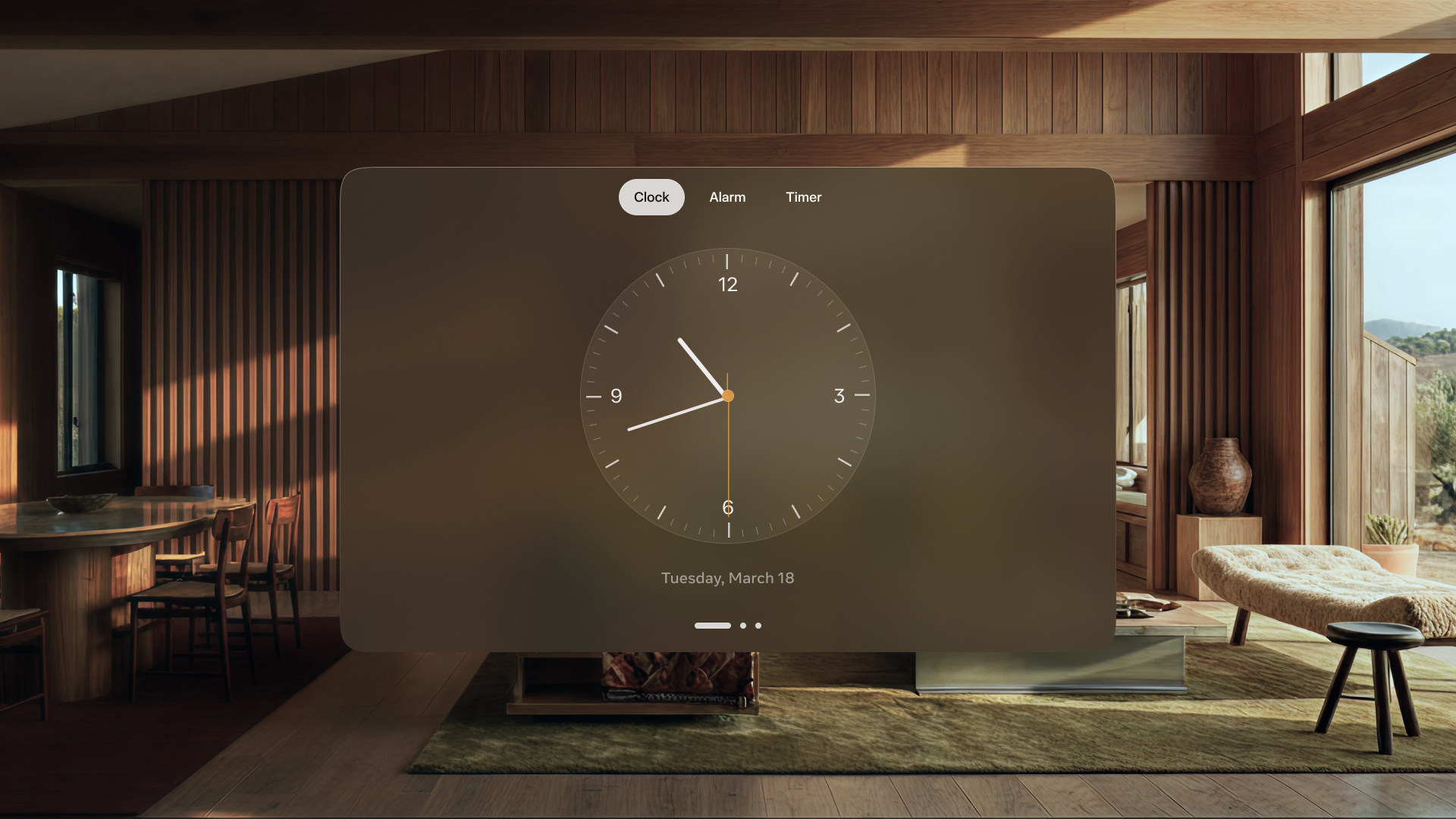
Explorations
Process artifacts from the design phase: surface composition, alert patterns, face shape, and a spec sheet detailed enough to drive the build itself. Many of these states shipped; others shaped the direction without surviving the final cut.
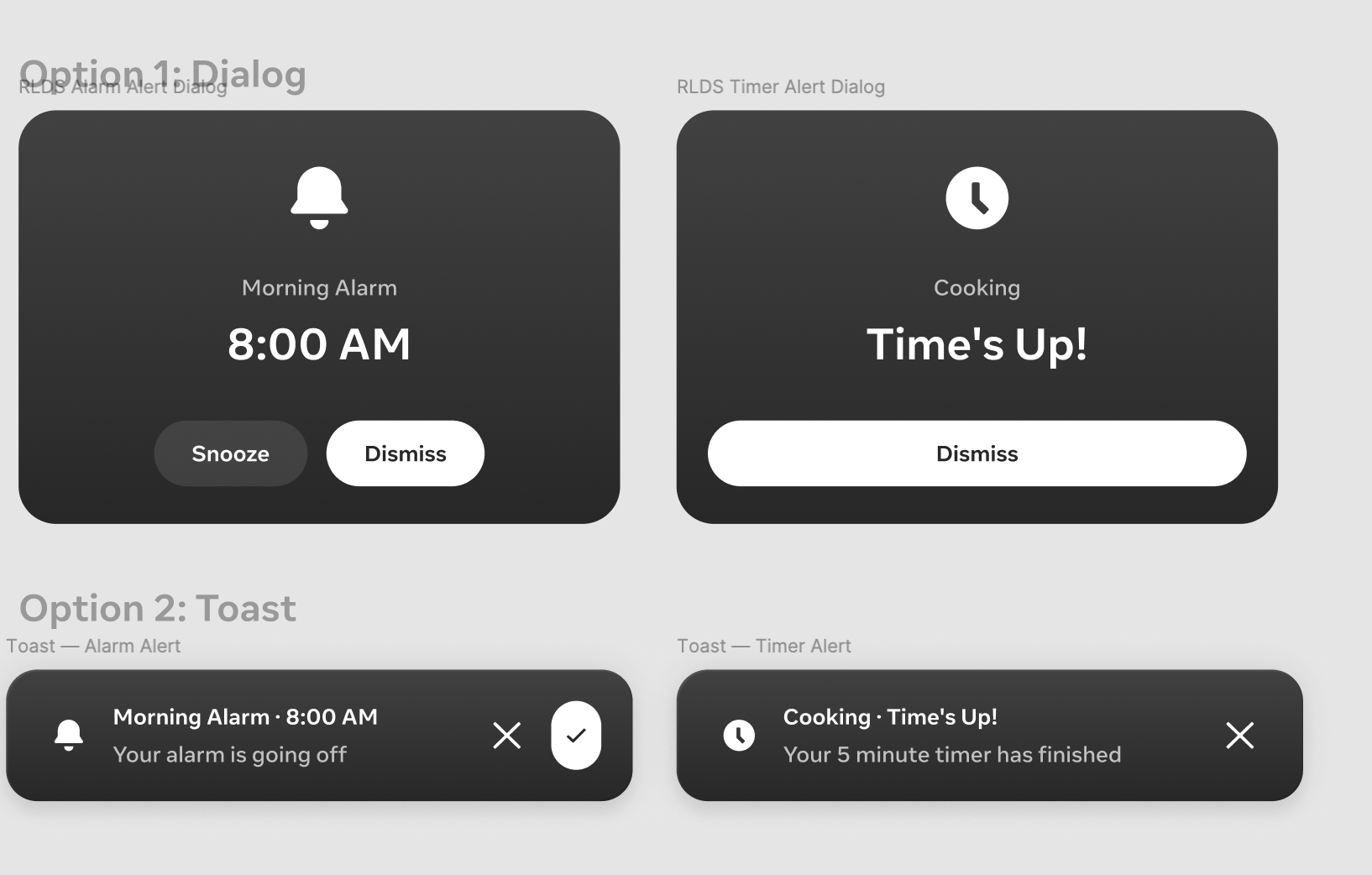
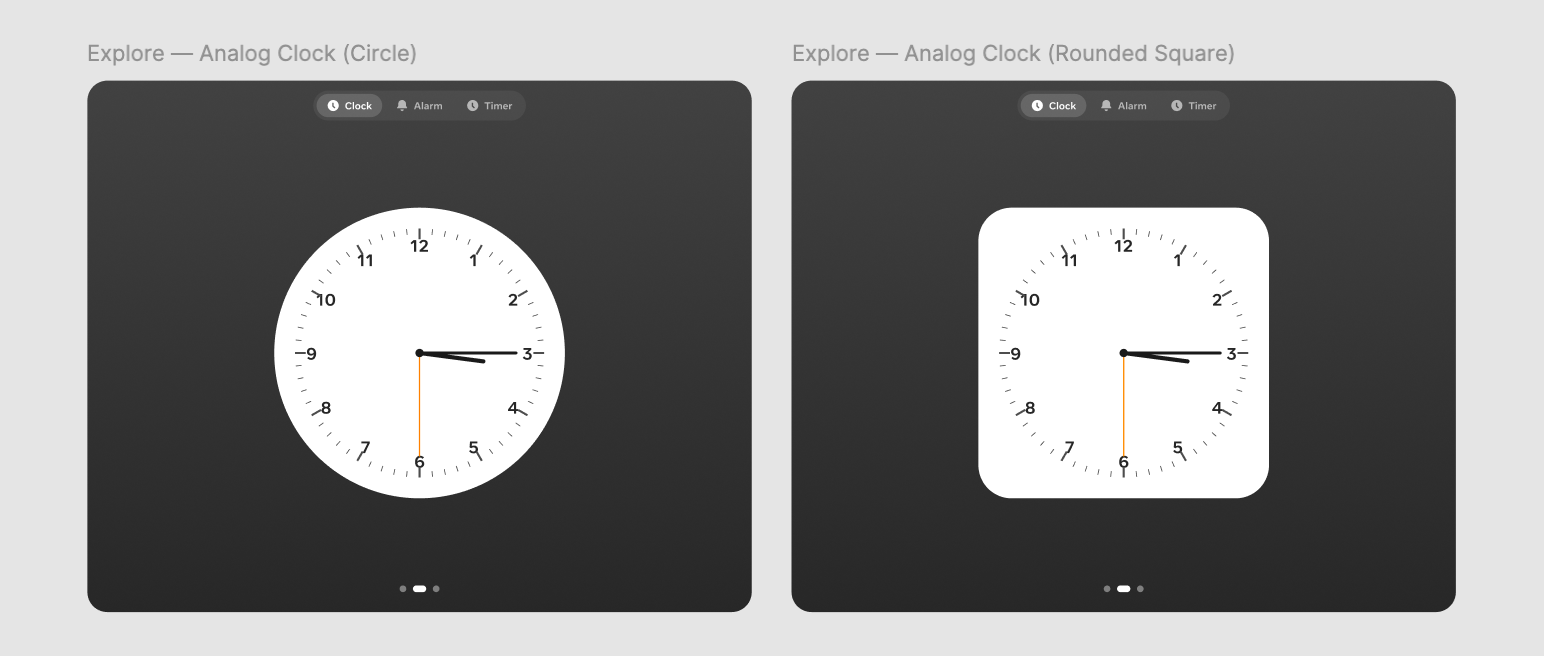
What started as a search query for a missing app is now a showcase product for Meta's next-generation design language, taken from idea to headset by a single designer.
Files
Overview
Files already existed, but the experience needed real work. The headline feature I designed was multi-select with drag and drop, including dragging a file straight from VR into a third-party app like WhatsApp. That had never been possible on Meta Quest before. It is a small interaction with a big shift behind it: Files stops being a place you store things and becomes part of how you move work across the system.
Reception
When it shipped, the new drag and drop was called out directly in user response to the release.
Calendar
Overview
Calendar shipped as part of the Meta Quest v71 update alongside a broader Horizon OS redesign. The feature I want to highlight here is a niche but technically interesting design problem: gaze targeting for a new wearable device that uses eye tracking to select UI elements.
The design challenge
The challenge was precision: specifically, what happens when multiple events overlap in the same time slot? How does the user select the right one with just their eyes? I worked closely with engineering to solve this, ultimately designing a flyout that expands beyond the initial calendar real estate when multiple events compete for the same gaze target. It gave users a clear, precise way to select exactly what they meant.
Outcome
All three apps ship as default OS-level experiences on Meta Quest. Files received user praise on release notes for the improvements over the previous experience. Clock and Calendar represent new ground for the platform, utility done natively and thoughtfully, setting a bar that competitors haven't yet matched.